For residents
Your tenant resources
Pay rent, request maintenance, apply, and manage your tenancy from one place. Everything runs through your secure tenant portal.
Looking for a home
Current residents
What you can do in your Resident Portal
Your Resident Portal is where your tenancy lives online. Sign in from any browser, or from the AppFolio mobile app, and you can see what you owe and when it is due, pay it, read every charge line by line, open your lease, upload proof of insurance, download the documents we share with you, keep your contact details current, and start a notice to vacate. It is open around the clock, so an answer about your own account never has to wait for office hours.
One thing the portal does not handle is maintenance. Repair requests go through PropertyMeld, and the portal says so at the top of every screen.
Pay rent and manage your payments
Portal screen: Payments
- See your current balance and the exact date your next bill is due
- Make a one-time payment, or set up autopay for the full balance
- Edit, skip, or delete a scheduled payment before it runs
- Keep a bank account or a card on file so you are not re-entering details every month
Read your ledger and pull your receipts
Portal screen: Home and Payments
- Every charge sits on its own line with its own due date: rent, program costs, insurance
- Past payments keep the date, the amount, the confirmation number, and who paid
- Each payment shows exactly which charges it covered, month by month
- That history is your receipt whenever a question comes up about your account
Open or download your lease
Portal screen: Property Details
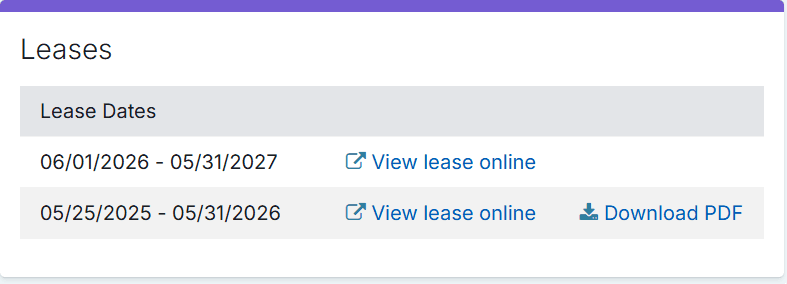
- View your current lease online, and your previous leases with it
- Download a lease as a PDF to keep, print, or send on
- Check the address and the lease dates we have on file for you
- Croskey contact details sit on the same screen, so the office number is never far
Upload your proof of insurance
Portal screen: Insurance
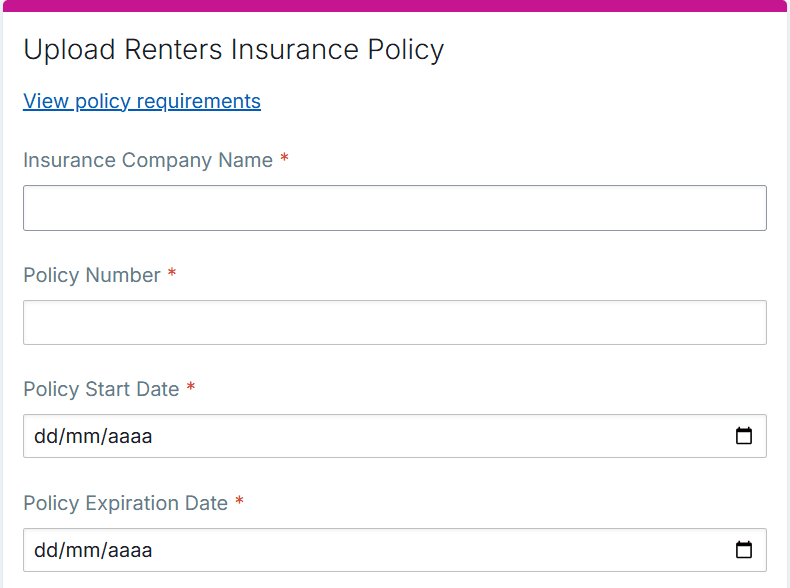
- Upload your policy: insurance company, policy number, start and expiration dates, and the document itself
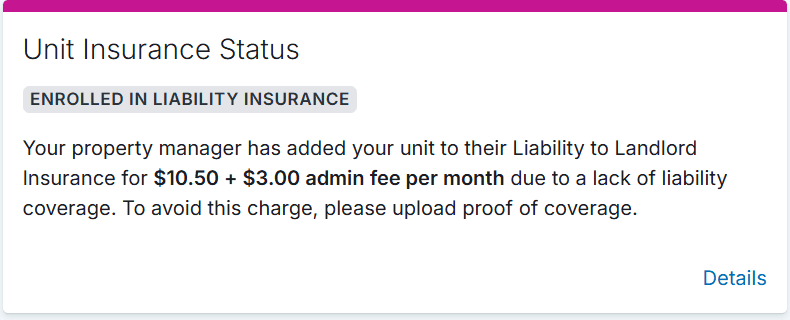
- See your unit insurance status at a glance, including whether a policy already on file has expired
- Every policy you have uploaded stays listed, so nothing gets lost between renewals
- Keeping valid proof on file is what keeps the default liability coverage off your ledger
Get the documents we share with you
Portal screen: Shared Documents
- Inspection reports, notices, and forms we send you land under Shared Documents
- Each document is listed with the date it was shared with you
- Download any of them at any time, from any device, without emailing the office
Update your account and how we reach you
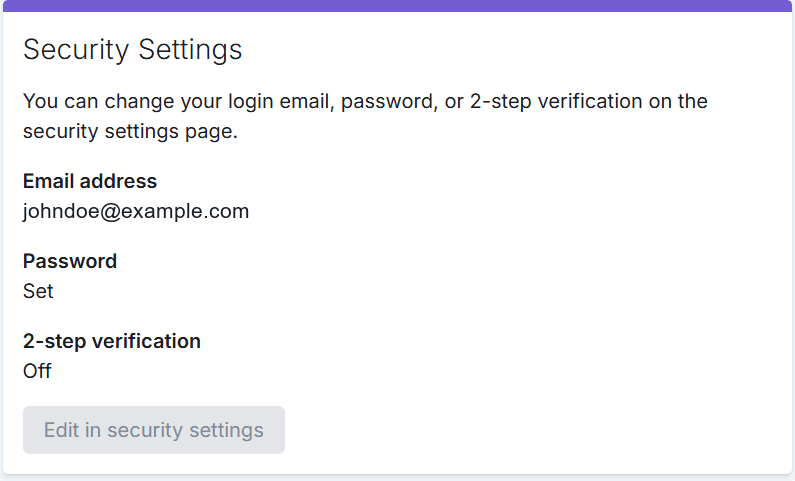
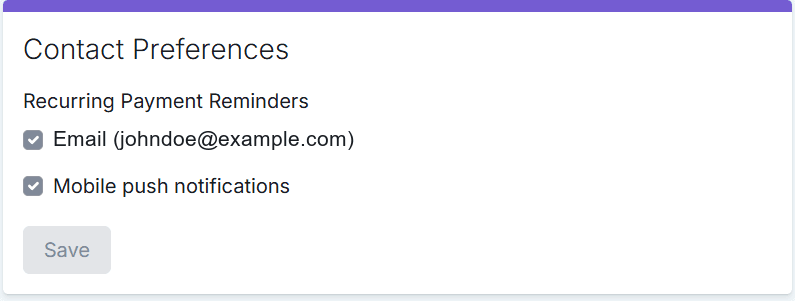
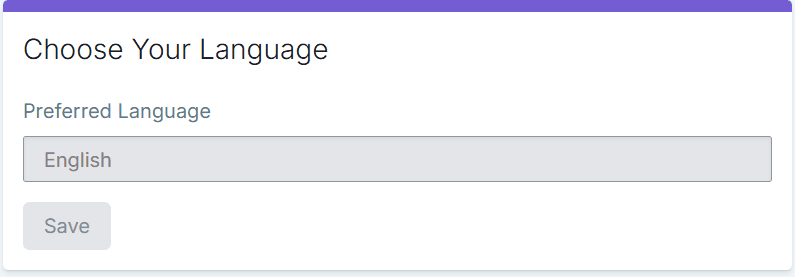
Portal screen: Account Profile
- Change your login email or password, and turn on 2-step verification
- Choose whether payment reminders reach you by email, by mobile push notification, or both
- Update your phone number, your mailing address, and your vehicle details
- Set the language you would rather read your portal in
Reach us, or give notice
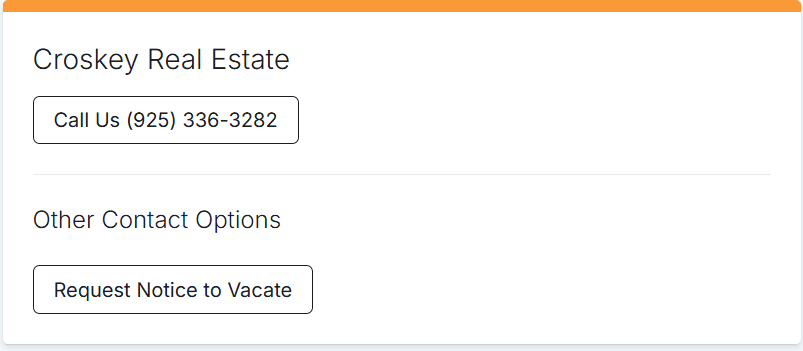
Portal screen: Contact
- Call the Pittsburg office directly from the portal Contact screen
- Maintenance emergencies do not go through the portal: call the emergency line at (888) 296-4726
- Start a Request Notice to Vacate from that same screen when the time comes
- Timing, the rest of the process, and the official form are on our notice to vacate page
Repairs do not go through the portal
Maintenance requests are handled in PropertyMeld. Submitting there is what gets your request documented, routed to the right team member, and coordinated with the technician or vendor. For a maintenance emergency, call the emergency line at (888) 296-4726 right away. For a fire or a gas leak, call 911 first.
What those screens look like
These are screens from a sample resident account. The name, property address, email and amounts are placeholders, so nothing here belongs to a real resident. Your own portal shows your lease, your policies and your details. Move through them with the arrows, the dots, or by swiping.
Screenshot 1 of 7
Resident Portal questions
What can I do in the Croskey Resident Portal?
You can see your current balance and next due date, make a one-time payment or set up autopay, edit or skip a scheduled payment before it runs, read your ledger line by line, pull past payments with their confirmation numbers, view and download your current and previous leases, upload proof of renters or liability insurance, download documents we share with you such as inspection reports, update your login and contact details, set your preferred language, and start a request for a notice to vacate. Maintenance requests are the one exception: those go through PropertyMeld.
Can I submit a maintenance request in the Resident Portal?
No. Croskey Real Estate handles repairs through PropertyMeld, and the Resident Portal shows a banner with that link on every screen. Submitting in PropertyMeld is what gets your request documented, routed to the right team member, and coordinated with the technician or vendor. For a maintenance emergency such as a flood, no heating when it is below 55 degrees, or no A/C when it is above 90 degrees, call the emergency line at (888) 296-4726. For a fire or a gas leak, call 911 first.
How do I get a copy of my lease?
Open Property Details in the Resident Portal. Your leases are listed there with their dates, the current one and the ones before it. Select View lease online to read it in your browser, or Download PDF to save a copy.
Where do I upload my renters insurance in the portal?
Open the Insurance screen and use the Upload Renters Insurance Policy form. It asks for the insurance company name, the policy number, the policy start and expiration dates, and the proof document itself. The same screen shows your current unit insurance status and every policy record already on file, including any that have expired.
Does each roommate get their own portal login?
Yes. Each adult resident listed on the lease has their own individual portal login and can submit their portion of the rent directly through their portal account. Please make sure the full household balance is paid by the 3rd to avoid late fees.
Can I use the portal in a language other than English?
Yes. Open Account Profile and use the Choose Your Language card to set your preferred language, then save.
How do I change the email address or phone number Croskey has for me?
Open Account Profile. Your login email and password sit under Security Settings, where you can also turn on 2-step verification. Your phone number, mailing address, and vehicle details sit under Contact Information. Contact Preferences controls whether payment reminders reach you by email, by mobile push notification, or both.
I cannot sign in to my Resident Portal. What now?
Call our Pittsburg team at (925) 336-3282, Monday to Friday, 9 AM to 5 PM, and we will resend your portal invitation to the email address on your lease.
Need a hand with your account? Call our Pittsburg team at (925) 336-3282, Mon-Fri, 9 AM to 5 PM.